Is CardScan free to use?
Yes. CardScan is free to use up to 10 successful saved business cards. After that, you have the option to subscribe to the 'Premium' version which is just $19.99 yearly for unlimited usage.
How does CardScan work?
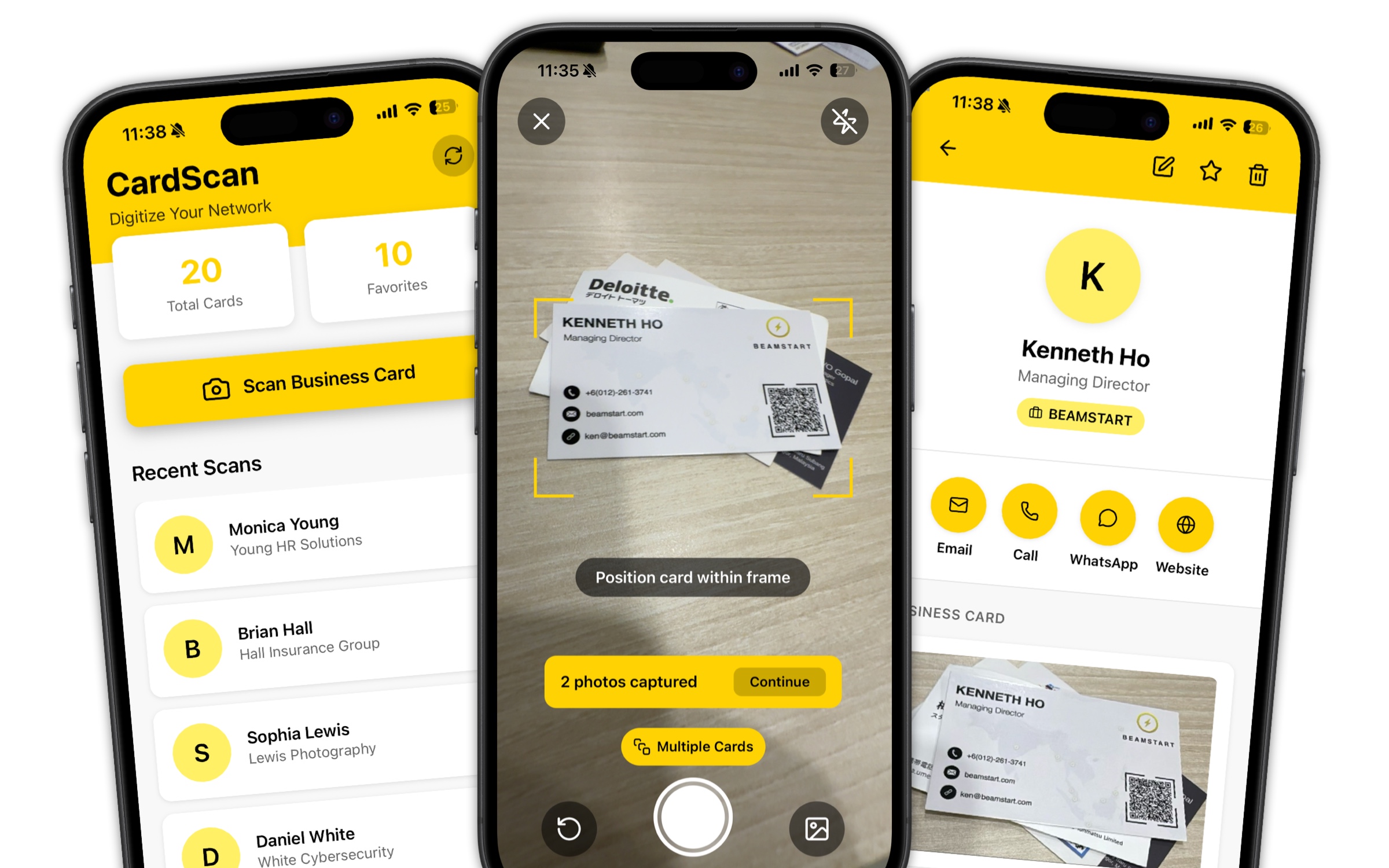
CardScan is an app that lets you scan single/multiple business card(s), extracts all the information from them, and automatically save the contact details into the app and your phone's address book / contact list.
This saves LOTS of time having to key in all the information on business cards manually into your phone.
Can I export / backup the contacts I've saved?
Yes, of course!
CardScan comes with a built-in one-click button that lets you export and backup all your saved contacts into a CSV file. This CSV file can then be imported into other tools you use (example: a CRM system).
What platforms is the CardScan App available on?
CardScan is available for both iOS and Android.
To download, simply tap on the 'Download' button below this page and follow the on-screen instructions.
What happens to the data saved on the app?
Scanned business card data is ONLY stored on the app that is installed on your phone. It is not used or stored anywhere else as we want to ensure 100% privacy.
How can I ensure my CardScan data is never lost?
CardScan comes with a free CSV export and backup tool. On top of that, all contacts saved are automatically stored to your phone's address book. In the event your app is reinstalled, you can easily restore all saved contacts from your phone's address book.
What technology does CardScan use?
CardScan is built using state of the art OCR (Optical Character Recognition) and AI (artificial intelligence) technology that allows the app to process business card data quickly and accurately.
Can I cancel my 'Premium' subscription anytime?
Yes, of course!
Upon signing up for CardScan Premium, a new button will appear under the 'Settings' page that allows you to cancel your subscription anytime.
Your subscription will remain active until the next billing cycle / expiry date.